Build on the field
Choose a field view, place players and add the balls, cones and goals required for the activity. Purpose-built passing and movement lines communicate the action more clearly than generic arrows and shapes.
Soccer drill planner
SessionPlan gives soccer coaches a field-based diagram maker and a structured place for the instructions behind the picture. Draw the setup, show player movement, record the purpose and coaching cues, and save the activity to a personal library. The result can be reused in future practices instead of being lost in a camera roll or rebuilt in presentation software.
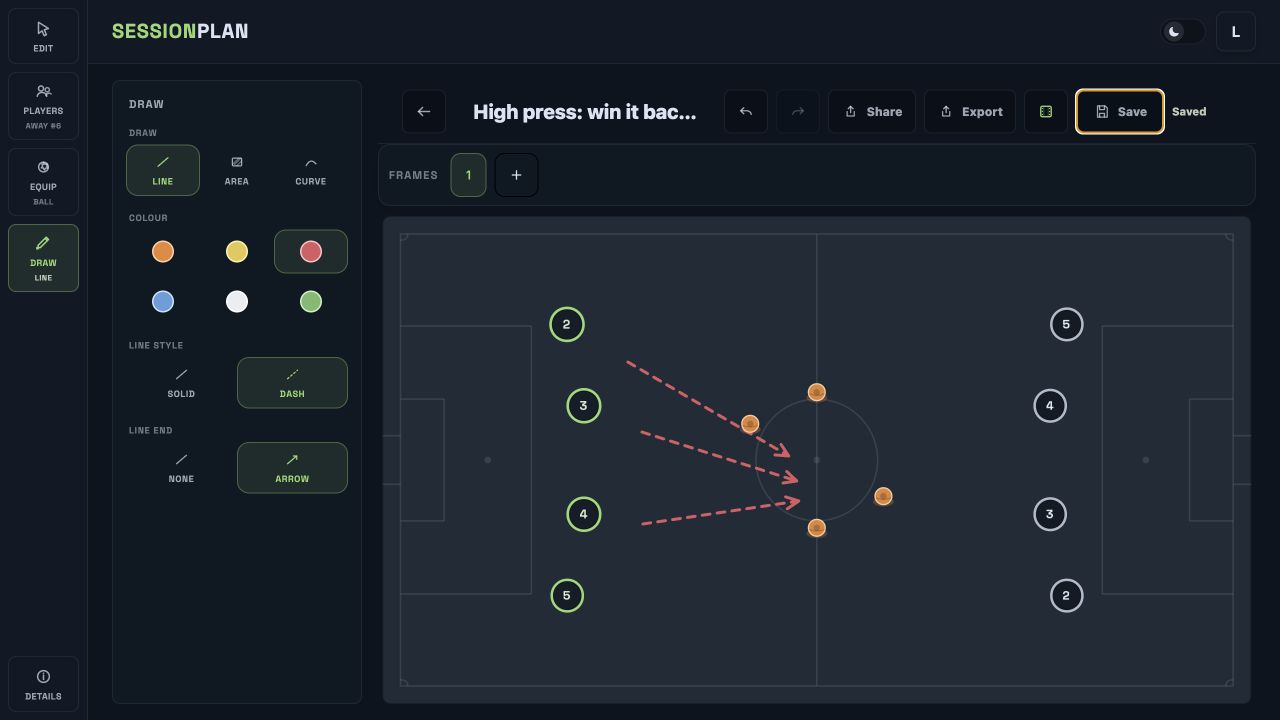
Choose a field view, place players and add the balls, cones and goals required for the activity. Purpose-built passing and movement lines communicate the action more clearly than generic arrows and shapes.
Keep the objective, organization, constraints, progressions and coaching cues beside the diagram. When the drill is opened again, the setup and the teaching intent are both available.
A saved drill can be added to later practice plans, adjusted for a different roster or exported as a polished image. Coaches build a useful working library without duplicating files.
Start with the area that matches the activity. Position teams, neutral players, goals and equipment so the organization is clear before movement is added.
Add passes, runs and directional lines, then use colors and player labels to distinguish roles. Refine the picture until another coach can understand the starting positions and intended pattern.
Add the explanation and coaching cues, then save the drill. It is immediately available for a complete practice, later editing or a shareable export.
Whiteboard photos and paper sketches are fast, but they become difficult to organize and rarely retain the full teaching detail. SessionPlan keeps every visual tied to the information needed to run the activity.
Coaches remain in control of the content. The drill planner works for technical repetition, small-sided games, functional training and tactical work without requiring one curriculum or terminology.
Drills connect directly to the practice planner, team roster and game-day lineup tools. Once loaded, the information remains locally available through spotty field connectivity and synchronizes when the device reconnects.
A maintained activity library also reduces the work required from week to week. Coaches can reopen a drill that worked, change the field size or player count and keep the improved version ready for another team. That creates a practical coaching resource based on activities the coach has genuinely prepared, not a collection of unlabeled screenshots.
Yes. SessionPlan runs in the browser and provides field layouts, players, equipment, labels and movement lines for building clear soccer activities.
Yes. Store the objective, description, notes and coaching points with the diagram so the teaching information is available whenever the activity is reused.
Saved activities stay in your SessionPlan library and can be edited or added to future practices. Pro removes the free plan’s saved-drill limit.
SessionPlan exports clean images for sharing. Detailed instructions and coaching notes remain attached to the saved activity in the app.
Soccer Practice & Session Planner for Coaches
Build complete soccer practice plans from your drill library, add timings and coaching points, and keep plans available offline on the field.
Online Soccer Tactics Board for Coaches
Use SessionPlan’s online soccer tactics board to draw drills and tactical ideas, organize them into practices and work offline on the field.
Start with a real plan
Create a squad, build drills and put a complete plan together before the next training night.
Start planning free