Purpose-built pitch tools
Choose a suitable pitch view, position players and add balls, cones and goals. Passing, running and movement lines make the intended action visible without relying on generic presentation shapes.
Football drill planner
A good drill diagram should make the organisation and movement obvious before the first explanation. SessionPlan combines a purpose-built football drawing board with objectives, notes, coaching points and a reusable drill library. Coaches can capture an idea quickly, refine it later and place the finished practice directly into a complete training session.
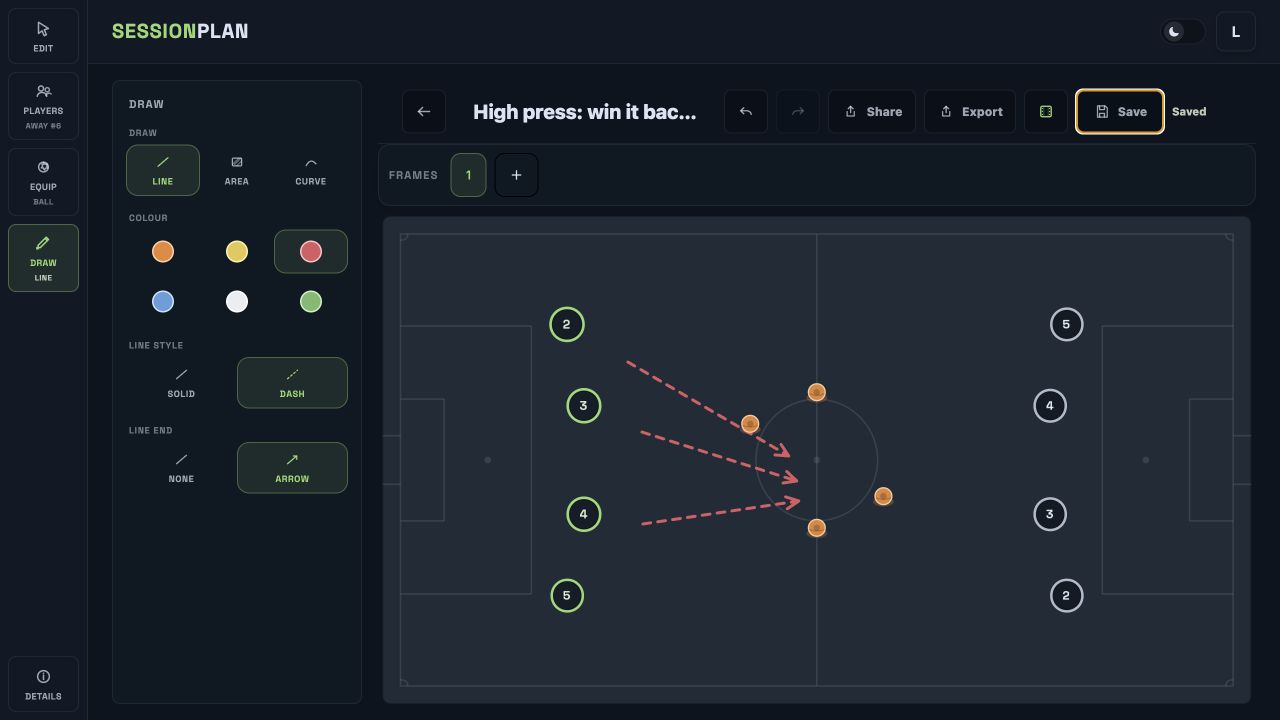
Choose a suitable pitch view, position players and add balls, cones and goals. Passing, running and movement lines make the intended action visible without relying on generic presentation shapes.
Save the objective, setup, constraints, progressions and coaching points with the visual. The drill remains understandable weeks later and can be adapted for another squad without searching for separate notes.
Keep drills in your own library, add them to future sessions and export polished images for players or staff. One version remains the source of truth instead of accumulating screenshots with missing context.
Select the pitch layout and view that best represents the space. Add the players and equipment required for the numbers, area and organisation you intend to coach.
Draw runs, passes and other movement so the sequence can be understood at a glance. Adjust colours and labels to distinguish teams, roles or starting positions.
Record the objective, explanation and coaching points, then save the drill to the library. It is ready to reuse, add to a session or export without redrawing it.
Notebook sketches and slide decks can capture a moment, but they often separate the diagram from the information needed to deliver it. SessionPlan treats the visual and the coaching detail as one drill, making it easier to search, review and reuse.
The planner is equally useful for a quick technical practice and a more detailed tactical exercise. It does not impose a drill catalogue or coaching methodology; the coach controls the language, organisation and progression.
Once the drill is saved, it can become part of a timed session and remain available offline after loading. That gives coaches continuity from planning at home to setting up and delivering at the pitch.
Clear stored diagrams also make weekly preparation easier to review. Instead of remembering which version was delivered, a coach can return to the saved practice, adjust the numbers or area and preserve a stronger version for the next squad. Over time, the library becomes a record of ideas that have actually been prepared for training rather than a folder of disconnected images.
SessionPlan supports players, balls, cones, goals, pitch layouts, labels and movement or passing lines, providing the core visual tools needed for technical and tactical practices.
Yes. Objectives, descriptions, notes and coaching points are stored with the diagram, so the reasoning and delivery detail remain attached to the visual.
Saved drills form your personal library and can be selected when building future sessions. This avoids recreating the same organisation every time a topic returns.
Yes. SessionPlan creates clean visual exports suitable for sharing with players, assistants and club staff.
Football Session Planner for Coaches
Build complete football training sessions from your drill library, add timings and coaching points, and keep plans available offline at the pitch.
Online Football Tactics Board for Coaches
Use SessionPlan’s online football tactics board to draw drills and tactical ideas, organise them into sessions and work offline pitchside.
Start with a real plan
Create a squad, build drills and put a complete plan together before the next training night.
Start planning free