Football session planner

Plan complete football training sessions without the paperwork.

SessionPlan gives individual coaches one clear place to organise drills, timings, objectives and coaching points. Build the shape of a session before training, open it again at the pitch and keep working when the connection is unreliable. It is a practical planning tool for grassroots, academy and semi-professional coaches who want a useful plan rather than another document to format.

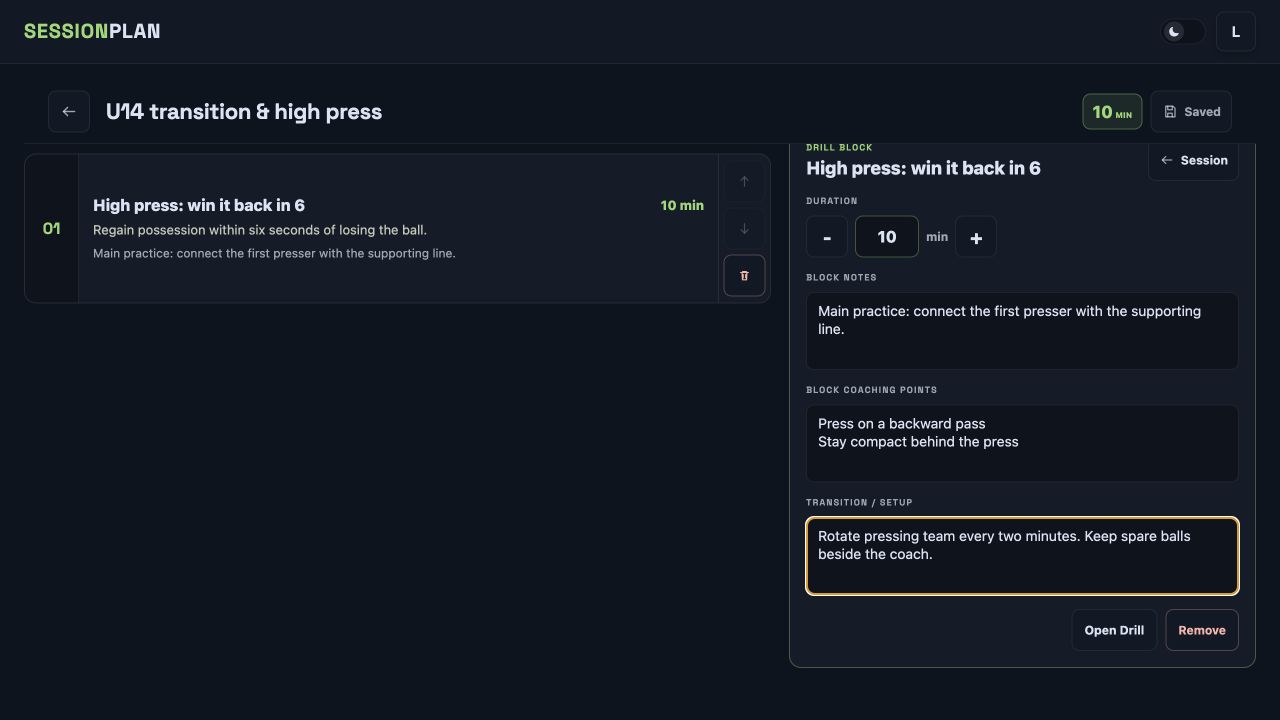
SessionPlan football session planner showing drills arranged into a training session

Everything needed to turn separate drills into one coherent session

Build the session in order

Add saved drills to a clear delivery sequence, set a duration for each block and see the total running time as the plan develops. Warm-ups, technical work, opposed practices and games stay together instead of being split between notes, screenshots and spreadsheets.

Keep coaching detail attached

Store the objective, coaching points, transitions and practical notes alongside the drill they belong to. When training begins, the information needed to explain or adapt the practice is already part of the plan.

Take it to the pitch

Plans are available locally after they have been loaded, so a weak clubhouse network or patchy mobile signal does not stop the session. Changes remain safe on the device and sync again when connectivity returns.

From an idea to a deliverable session in three steps

1. Create or reuse drills

Draw a new practice on the tactical board or choose one from your own drill library. Add players, equipment, movement lines, an objective and the coaching detail you expect to use.

2. Arrange the training flow

Place drills into the session, choose timings and add transition notes. The session builder keeps the running order visible so it is easy to judge balance, intensity and the time available.

3. Deliver and share

Open the finished plan on a laptop, tablet or phone at training. Export clear visuals when players or assistants need a copy, without rebuilding diagrams in presentation software.

Designed for coaches who already know what they want to work on

SessionPlan does not force a fixed coaching methodology or replace your judgement. It provides a fast structure for capturing the session you intend to deliver. Reusable drills reduce repeated admin, while flexible notes leave room for different age groups, numbers and coaching styles.

Because drills, sessions, squads and matchday lineups live in the same app, the plan is not isolated from the rest of the week. A coach can prepare training, check the squad and build the next matchday XI without moving between unrelated tools.

The free plan is enough to build and test a real session. Pro removes saved-item limits for coaches who want to retain a growing library across multiple squads and seasons.
Football session planner questions

Can I create my own football drills?

Yes. The tactical board lets you place players and equipment, draw movement and passing lines, choose pitch layouts and attach objectives, notes and coaching points before adding the drill to a session.

Does SessionPlan work at the pitch without reliable internet?

SessionPlan keeps previously loaded drills, sessions, squads and lineups available locally. You can continue working during patchy connectivity, and local changes sync when the connection returns.

Can I reuse a session for another squad?

Saved drills can be reused across future plans, and sessions remain available to review and adapt. Pro provides unlimited saved squads, drills, sessions and lineups.

Can I export a football session plan?

SessionPlan produces clean visual exports for drills and lineups. These are suitable for sharing with players, assistant coaches and club staff alongside the detailed session held in the app.

Explore more SessionPlan tools

SessionPlan home

Start with a real plan

Plan your next session free.

Create a squad, build drills and put a complete plan together before the next training night.

Start planning free